> ## Documentation Index
> Fetch the complete documentation index at: https://dataleap-469bb19d-docs-from-request-2026-08-21-templates.mintlify.site/llms.txt
> Use this file to discover all available pages before exploring further.
# Credits & usage
> Every run costs credits. See the spend, cap it with budgets, and reduce it with the right levers.
Every agent run consumes credits. Dataleap gives you the visibility to see where they go, the controls to cap them, and — most importantly — the levers to need fewer of them.
## Chat costs vs. run costs
Your costs come from two places, and they behave differently:
* **Chat costs** — what you spend talking to Dataleap while building and refining an agent. High chat costs at the start are normal: that's the building phase. Once the agent is finished, they drop to zero.
* **Run costs** — what each execution consumes. This is the recurring cost, and it's where the optimization levers below apply.
## Budgets (admin)
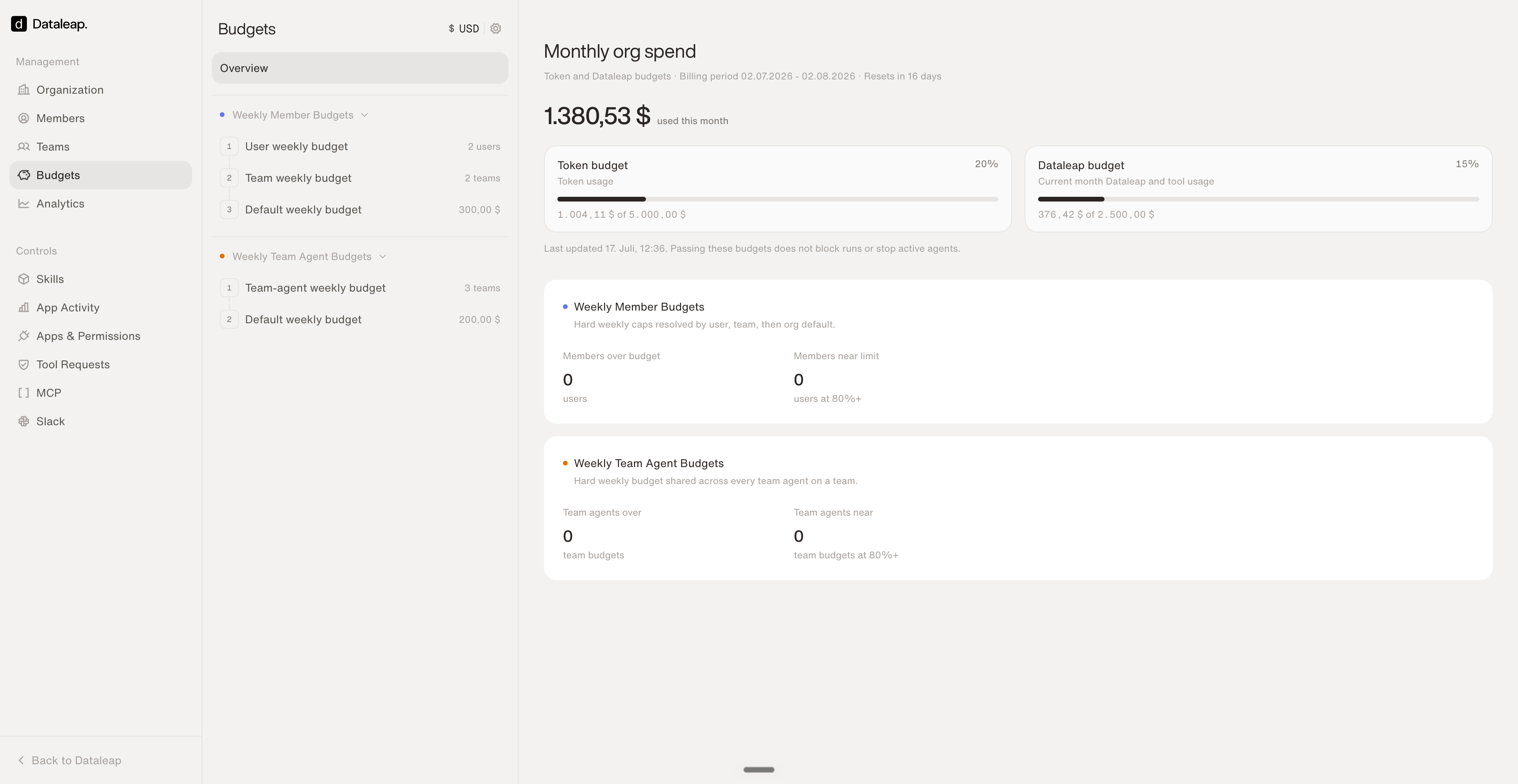
The **Budgets** page in the admin panel shows the monthly org spend for the billing period — and sets the caps:
* **Weekly member budgets** — hard weekly caps per person, resolved in order: **user-specific budget → team budget → org default**. The most specific one wins.
* **Weekly team-agent budgets** — a hard weekly budget **shared across every team agent on a team**, with an org default as fallback.
* **Monthly org budgets** (token and Dataleap usage) are monitoring views — passing them doesn't block runs or stop agents; the weekly caps are the hard limits.
 ## Analytics (admin)
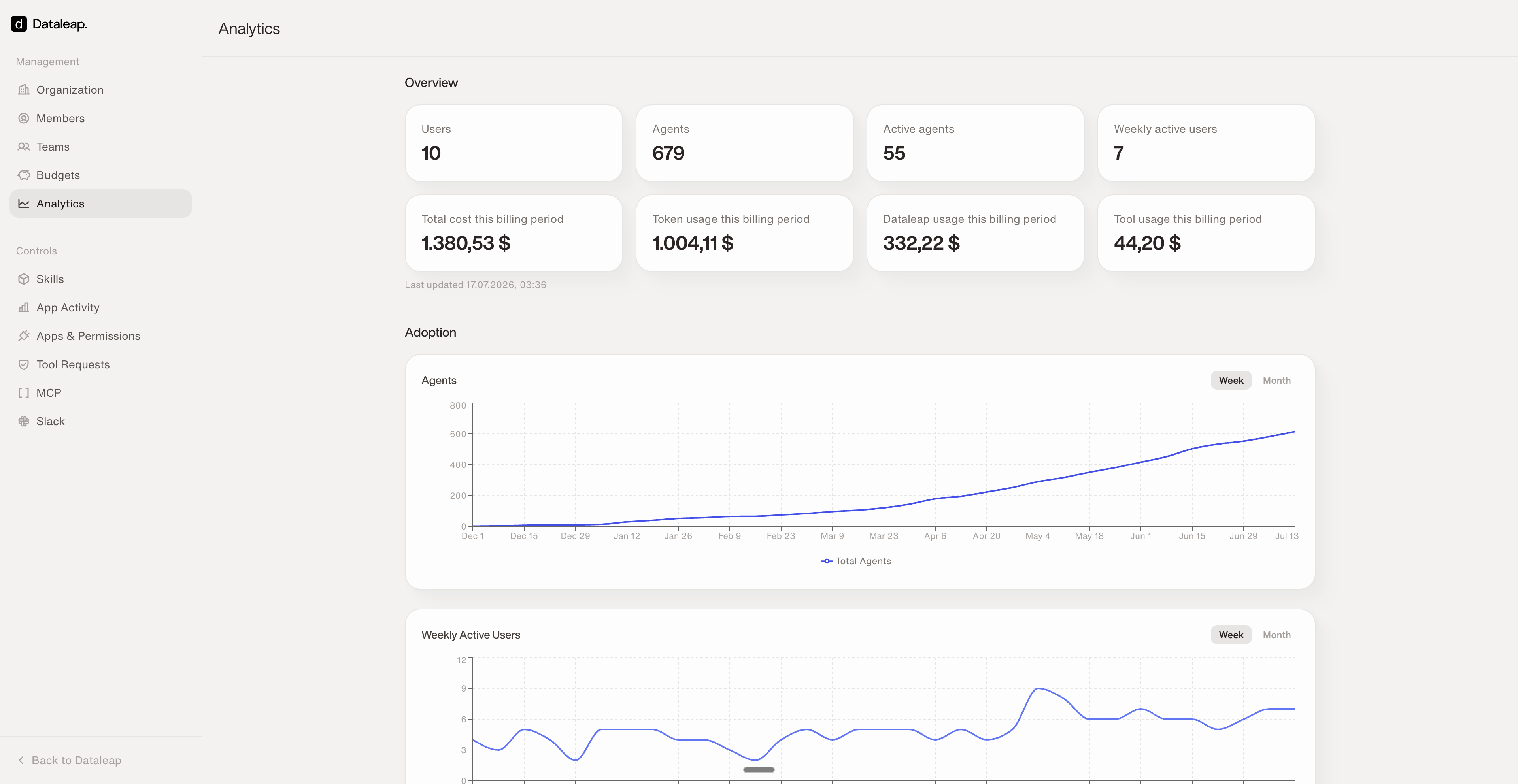
The **Analytics** page answers "what's actually happening":
* **Overview** — users, agents, active agents, weekly active users, and the billing period's cost split (token, Dataleap, and tool usage).
* **Adoption** — how agent count and weekly active users develop over time.
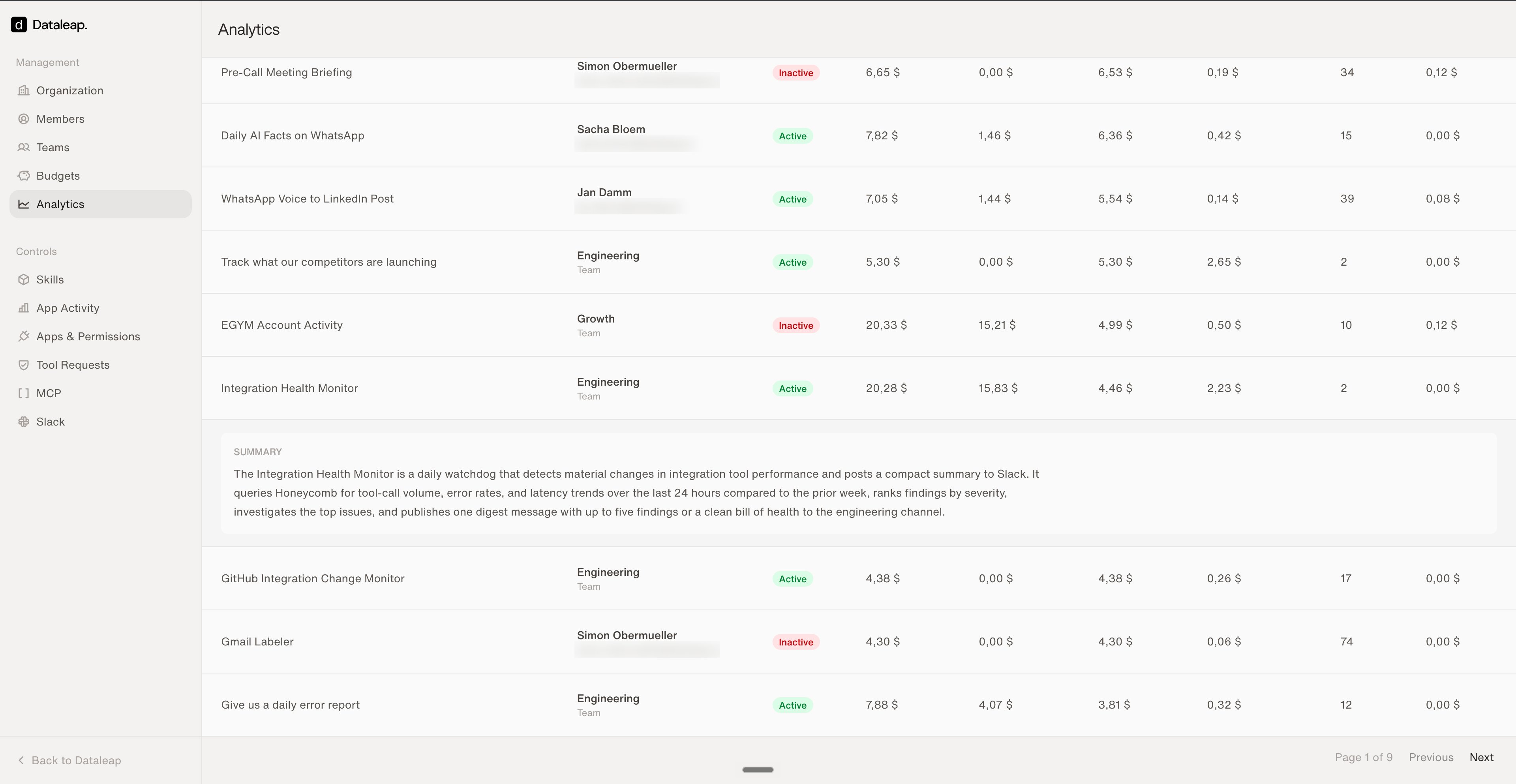
* **Per-agent list** — every agent with its owner (person or team), active status, cost breakdown, and run count. Expand any agent for an **AI-generated summary of what it does** — no more guessing what "New Workflow" is.
## Analytics (admin)
The **Analytics** page answers "what's actually happening":
* **Overview** — users, agents, active agents, weekly active users, and the billing period's cost split (token, Dataleap, and tool usage).
* **Adoption** — how agent count and weekly active users develop over time.
* **Per-agent list** — every agent with its owner (person or team), active status, cost breakdown, and run count. Expand any agent for an **AI-generated summary of what it does** — no more guessing what "New Workflow" is.
 ## Your own usage
Outside the admin panel, everyone sees their own picture: **Usage** in the sidebar shows your weekly credit usage and which agents consume it, and each agent's **Runs** panel lists every execution with status, output, duration, and cost.
## Reduce the spend: the levers that matter
| Lever | Effect |
| -------------------------------------------------------------------- | ----------------------------------------------------------------------------------------------------- |
| [Event triggers instead of frequent polling](/build/triggers) | Agents run only when there's real work — \~100x cheaper than tight schedules. |
| [Programmatic tool calling](/scale/programmatic-tool-calling) | Deterministic workflows use far fewer credits — 30–80% reduction. |
| [Model tiers](/scale/sub-agents-and-intelligence-levels#model-tiers) | Expert to build, Pro to run; dial proven workflows down — up to 3–4x cheaper. |
| Optimized instructions | Clear instructions reduce iterations per run — fewer loops, fewer credits. |
| Pre-filter at the source | Filter in the source system (e.g., a Snowflake view or an email filter) so the agent reads less data. |
Next: govern which tools agents can reach.
The single biggest spend lever, explained.
## Your own usage
Outside the admin panel, everyone sees their own picture: **Usage** in the sidebar shows your weekly credit usage and which agents consume it, and each agent's **Runs** panel lists every execution with status, output, duration, and cost.
## Reduce the spend: the levers that matter
| Lever | Effect |
| -------------------------------------------------------------------- | ----------------------------------------------------------------------------------------------------- |
| [Event triggers instead of frequent polling](/build/triggers) | Agents run only when there's real work — \~100x cheaper than tight schedules. |
| [Programmatic tool calling](/scale/programmatic-tool-calling) | Deterministic workflows use far fewer credits — 30–80% reduction. |
| [Model tiers](/scale/sub-agents-and-intelligence-levels#model-tiers) | Expert to build, Pro to run; dial proven workflows down — up to 3–4x cheaper. |
| Optimized instructions | Clear instructions reduce iterations per run — fewer loops, fewer credits. |
| Pre-filter at the source | Filter in the source system (e.g., a Snowflake view or an email filter) so the agent reads less data. |
Next: govern which tools agents can reach.
The single biggest spend lever, explained.