> ## Documentation Index
> Fetch the complete documentation index at: https://dataleap-469bb19d-docs-from-request-2026-08-21-templates.mintlify.site/llms.txt
> Use this file to discover all available pages before exploring further.
# Getting started
> Sign in, learn the navigation, and know where everything lives.
Use this page to get set up and find your way around the app.
You need a Dataleap account and access to `https://app.dataleap.ai`.
## First-time setup
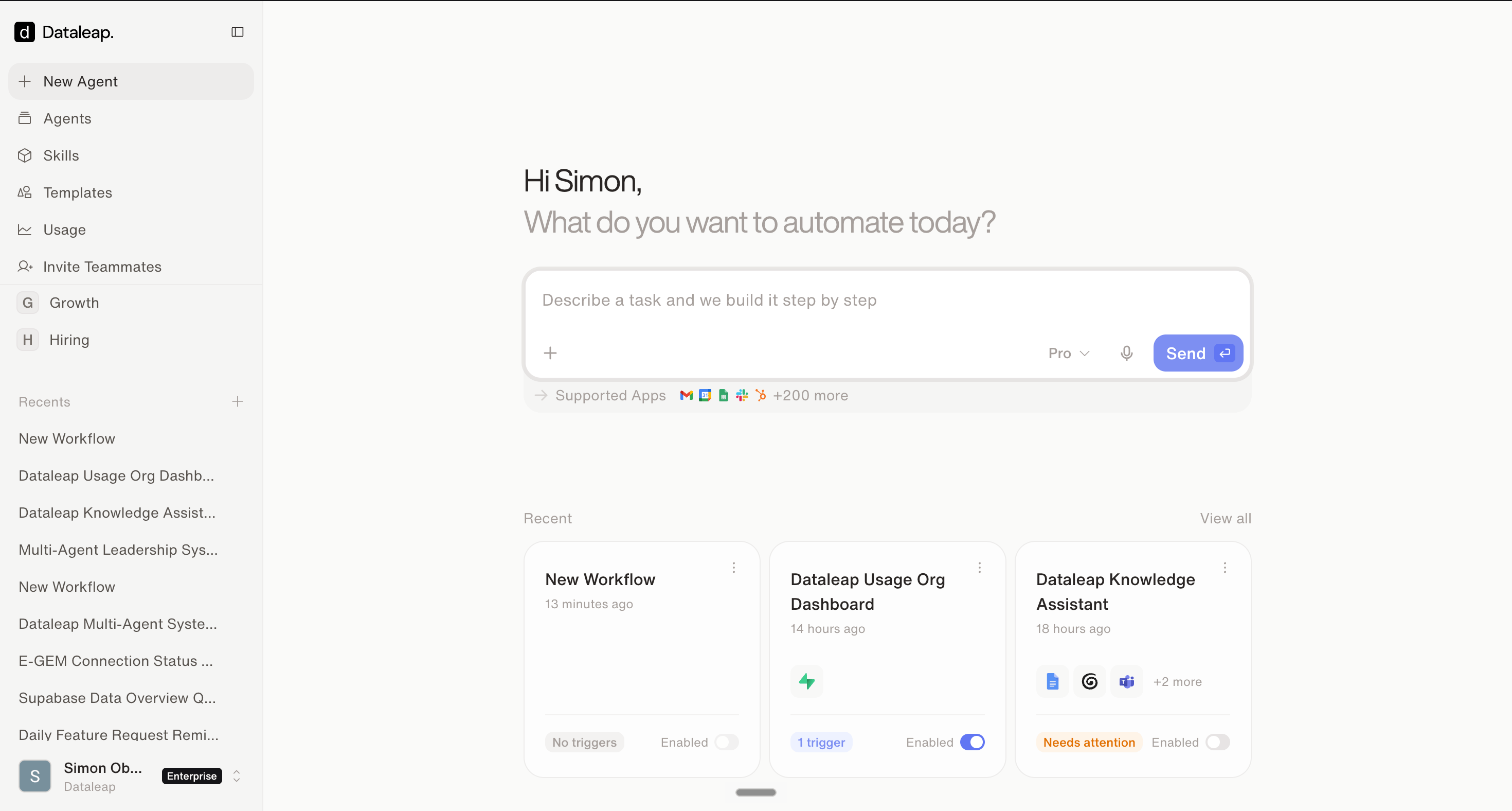
Open `https://app.dataleap.ai` and sign in — some workspaces ask you to complete your profile (first and last name) before you continue. After that you land in the main app:
 ## Find your way around
### Agents
**Agents** shows the agents you already created. **New Agent** starts a new one from a prompt.
### Agent settings
Open an agent and use the side panel to review its instructions, tools, and triggers — the definition of what it does and when.
### Connected Apps
The external tools your agents can access. Connect once — Dataleap asks for what it needs while you build, or manage everything under **Settings** > **Connected Apps** — and agents reuse the connection.
### Knowledge
Reference files your agents can use while they work, uploaded in the agent's **Knowledge** panel.
### Templates
**Templates** shows pre-built workflows you can deploy and adapt.
### Usage
**Usage** shows your credit usage and agent activity — what your agents are spending, per run and over time.
## What to do next
Next: build an agent from a plain-language description.
Want ideas first? Start from a structured workflow.
## Find your way around
### Agents
**Agents** shows the agents you already created. **New Agent** starts a new one from a prompt.
### Agent settings
Open an agent and use the side panel to review its instructions, tools, and triggers — the definition of what it does and when.
### Connected Apps
The external tools your agents can access. Connect once — Dataleap asks for what it needs while you build, or manage everything under **Settings** > **Connected Apps** — and agents reuse the connection.
### Knowledge
Reference files your agents can use while they work, uploaded in the agent's **Knowledge** panel.
### Templates
**Templates** shows pre-built workflows you can deploy and adapt.
### Usage
**Usage** shows your credit usage and agent activity — what your agents are spending, per run and over time.
## What to do next
Next: build an agent from a plain-language description.
Want ideas first? Start from a structured workflow.