An agent isn’t always just one agent — behind the scenes it can be a whole system: a main agent delegating parts of the job to sub-agents, running as one logical process. The important part: this happens automatically. Dataleap decides when a workflow benefits from sub-agents and architects them for you. There’s nothing to set up, nothing to manage — this page just explains the concept so you recognize it when you see it.

What a sub-agent system looks like

Diagram: a main agent delegating to three sub-agents — research, copywriting, and a scraper called fifty times

One logical process, many agents underneath.
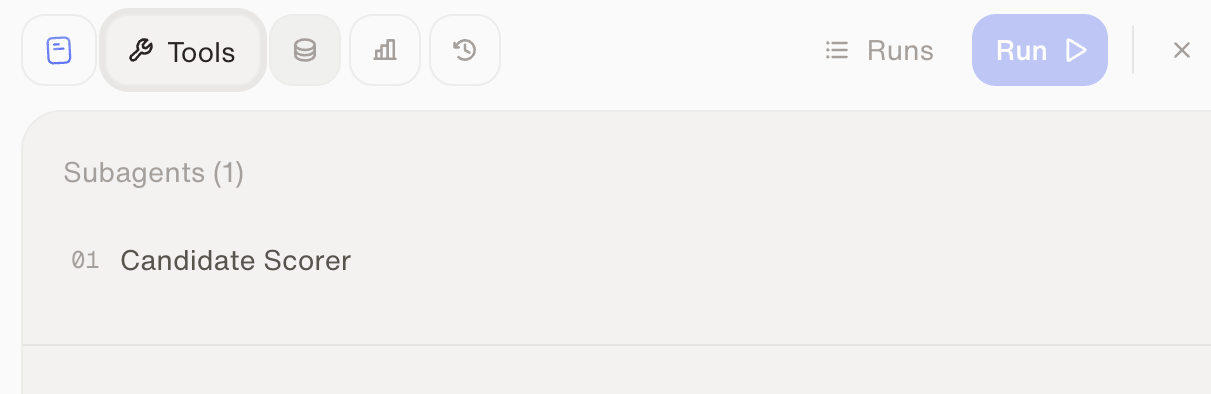
The main agent breaks the goal apart, delegates to sub-agents, and merges the results. Dataleap typically reaches for this when a workflow involves batch processing (the same task run many times), heavy intermediate data (a sub-agent digs through it and returns just a summary, so the main agent stays lean), or distinct phases that each need their own focused instructions. If your agent uses sub-agents, they appear under its Tools — you can look at each one, and that’s all you ever need to do with them:
The Tools tab of an agent showing one sub-agent, the Candidate Scorer

Sub-agents live in the agent's Tools tab.

A sub-agent belongs to its parent agent; for logic that several agents should share, that’s what skills are for.

Model tiers

What you can adjust: the preset — separately for the main workflow agent and for each sub-agent. Higher tiers are more capable and more expensive.
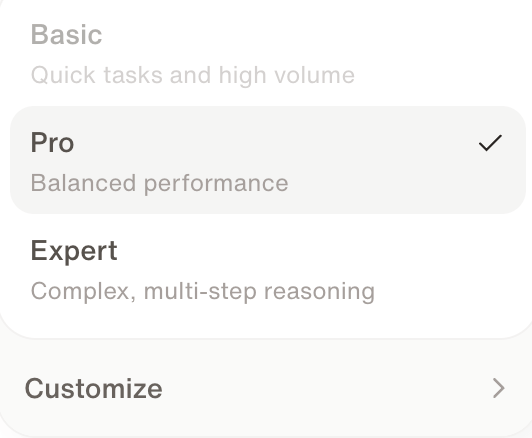
The model selector in the chat bar showing Basic, Pro, Expert, and Customize

The model selector — Expert, Pro, or Basic. Customize picks a specific model.

1

Build on Expert

While the agent takes shape, prefer Expert — building benefits from the best judgment. Setup conversations can’t use the Basic preset.
2

Run on Pro by default

Execution agents default to Pro. That’s the right setting for ~90% of use cases — you rarely need to touch it.
3

Adjust by evidence

Two paths, depending on what you observe:
  • The agent runs perfectly fine? Try lowering the execution agent’s preset — same output, cheaper runs.
  • The agent doesn’t work right — information goes missing, or runs time out? Level it up toward Expert and test again.
You set the preset with the model selector — in the chat bar for the setup conversation, in the Workflow tab for the main agent, and in a sub-agent’s Tools tab. Customize lets you pick a specific model and a Reasoning Level instead of a preset. Which models appear depends on what an admin has enabled on Models. Admins also choose which model each preset uses — see Models.
Complex agents that pull from many sources may genuinely need a higher tier — a smaller context can’t hold everything the workflow touches. And if the workflow is data-heavy and deterministic, the better fix is often programmatic tool calling instead of a bigger model.

Watch: Sub-agents and intelligence levels

See how sub-agents and model tiers work in the product.

Skills

Next: share behavior across agents the right way.

Credits & usage

How tier choice fits into overall spend control.